
Photography
9 Online Photo Editing Tools Worth Trying in 2026

As a professional in photography and digital media, I have spent years refining image editing techniques and rigorously testing a wide array of creative tools. Each evaluation is conducted with a structured, methodical approach to ensure accurate, unbiased insights. Over time, I’ve noticed that bulky interfaces and limited AI features can slow workflow and reduce output quality. My focus has shifted toward online photo editor platforms that combine intuitive design with powerful functionality for both beginners and seasoned creators.
This year, I tested numerous online photo editors extensively, comparing features, speed, AI capabilities, and overall usability. The following guide highlights standout tools, their practical advantages and limitations, and a detailed comparison table. This list serves as a definitive reference for selecting the right online photo editor in 2026.

Central Observations
As a seasoned visual content creator and online editing reviewer, I’ve explored countless web-based tools to find the most efficient and creative platforms for 2026. The following selection highlights the best online photo editors—each chosen for its AI innovation, ease of use, and ability to deliver professional results fast.
- CapCut: Best for fast, AI-powered photo editor workflows and creative automation. Delivers seamless batch editing, background removal, and template-driven marketing visuals in one platform.
- PicMonkey: Best for instant social media graphics and quick retouch edits. Ideal for creators who need ready-made templates and easy-to-use effects for eye-catching posts.
- PhotoRoom: Best for AI background removal and eCommerce-ready visuals. Perfect for product images, offering instant cutouts and clean compositions.
- Hotpot.ai: Best for creative AI image generation and playful visual edits. Great for users who want to experiment with unique designs or enhance creativity through AI prompts.
- Let’s Enhance: Best for HD upscaling, sharpening, and smart noise cleanup. Enhances image clarity for print, digital ads, or high-quality presentations.
- Ribbet: Best for everyday photo fixes with an easy drag-and-drop editor. Simplifies retouching, cropping, and color adjustments in a clean interface.
- FotoJet: Best for effortless posters, cards, and collage creation. Offers beautiful pre-designed templates that make design projects quick and enjoyable.
- Snappa: Best for fast social-sized graphics and ready-to-use team templates. Streamlines brand visuals with pre-set formats for every platform.
- VistaCreate: Best for professional branding visuals with instant templates. Combines design flexibility and brand management tools for consistent, high-quality output.
These online photo editors represent the future of creative productivity. Each one balances simplicity with advanced AI features, empowering you to craft professional-grade visuals efficiently and confidently in 2026.
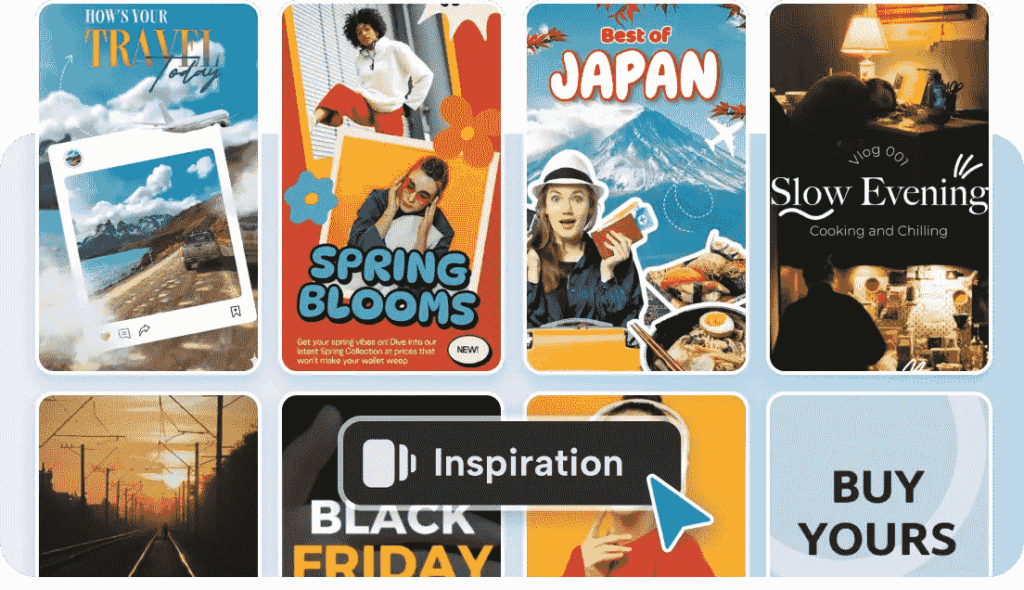
9 Best Online Photo Editing Tools in 2026
With so many options available, I’ve reviewed and handpicked the 9 best online photo editing tools for 2026. Each platform is assessed for usability, AI features, template selection, and overall editing flexibility. This guide will help you choose the perfect tool to elevate your creative projects.
-
CapCut
CapCut provides a robust, free online photo editor. The platform combines sophisticated AI models with realistic design tools. Seedream 4.0 helps generate referencing in batches, uniform series, and multi-imaging composites. Background removal and color palette matching is auto-matched by the editor. Repeat tasks are accelerated using templates and cloud storage. Export features are flexible aspect ratios and 4K outputs. CapCut is a combination of an image-generation tool, logo-creator, AI background generator, poster-designing, and a basic avatar generator. Cross-device workflows are based on collaboration features and mobile continuity. It is the combination of automation and manual controls that is suitable to fast social campaigns, product imagery, and storyboard generation. CapCut is dedicated to large-scale production without losing creative control.
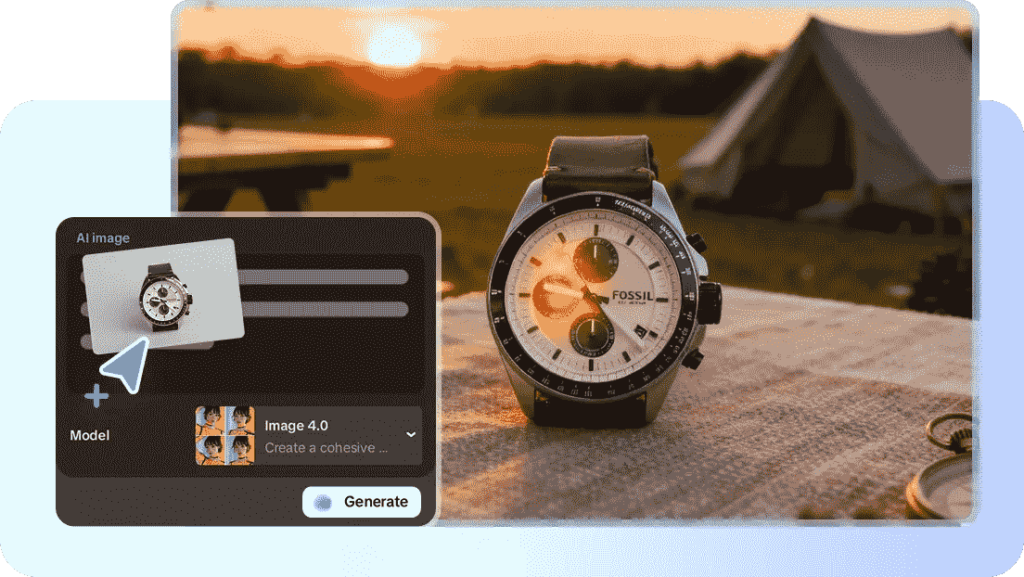
Core Highlights:
- Blend & Composite Images: Merge multiple visuals—like outfits, props, or backgrounds—into one cohesive image. The AI ensures natural alignment and smooth blending between elements.
- Consistent Series Generation: Maintain uniform tone, composition, and lighting across a full set of visuals. Ideal for campaigns, catalogs, and content series that require visual consistency.
- Color Match Tool: Automatically synchronize color palettes across different visuals. It detects hues and adjusts tones to ensure perfect color harmony within a project.
- Image Resizer: Instantly adjust aspect ratios for multiple platforms. Whether for Instagram, YouTube, or banners, it optimizes framing without stretching or cropping key details.
- Background Generator: Create fresh, AI-generated backgrounds that fit your subject’s style and mood. Perfect for product showcases, portraits, or creative storytelling.
- Image Background Remover: Remove unwanted backgrounds in seconds. The AI delivers pixel-precise cutouts, ideal for eCommerce, profile photos, or design mockups.
- Massive Templates Library: Access a wide range of ready-to-use templates for ads, social posts, and web visuals. Each layout is designed for quick customization and faster turnaround.
Advantages
- Intuitive web interface reduces learning curve for teams.
- Fast exports streamline content scheduling and posting.
- Collaboration tools support simultaneous team work.
- Wide format support covers social and print needs.
- Strong free tier meets most casual needs.
Disadvantages
- Some features require pro account to access.
Steps to Use Photo Editor
Step 1: Pick your custom size
After logging into CapCut, click on “Image” and select “New image”.
You’ll be taken to the editing page where a pop-up lets you decide on dimensions. Choose from the platform-ready presets or define your own custom measurements. If you have a file, upload it from your device, Cloud, Google Drive, or Dropbox, or begin with a template if needed.
Step 2: Design for each platform
Add text, stickers or shapes to personalize your design. Change the alignment, size, and curve of text to the requirements of the platform. To suit various readers, you can apply filters and effects to the photo to make it look different. It is also possible to create various layouts so that different photos blend into one.
Step 3: Export in the right fit
When ready, press “Download all” at the top right corner. Then select “Download” and set the format, size, and quality to suit the target platform. You can also copy your creation as “PNG” to easily place it across digital spaces.
My Experience
CapCut feels like a personal assistant for photo editing. The first time I tried its Seedream 4.0 AI model, I created an entire campaign series in under an hour. Its one-click tools and templates let me focus on creativity, not repetitive work. The speed and consistency across devices are unmatched — from laptop to phone, every edit stays synced.
Overall: (4.9/5)
Best For: Teams and creators who want speed, automation, and creative flexibility for campaigns, branding, and storytelling.
-
PicMonkey
PicMonkey is an online editing and graphic designing tool. The editor simplifies the process of retouching, filtering and layer-based compositions. Design templates can be used to create social posts and banners in a very short period of time. Brand packages and partnerships help teams to be consistent during campaigns. PicMonkey can serve consumers who need the powerful presets and drag and drop capabilities without a significant level of technical knowledge.
Advantages
- Clean interface eases rapid edits and compositing.
- Useful brand kit keeps visual identity consistent.
- Good library of stock images and templates.
- Layer controls enable richer compositions than basic editors.
Disadvantages
- Advanced AI features feel limited compared to newer competitors.
- Some export options require paid plans to unlock.
My Experience
PicMonkey became my go-to for quick campaigns. Its templates save time, and the built-in brand kit ensures my visuals look cohesive. I use it often for posts or stories that need professional polish fast, without opening a full editor.
Overall: (4.7/5)
Best For: Social media creators and small businesses that value branding consistency and quick design turnaround.
-
PhotoRoom
PhotoRoom concentrates on backdrop elimination and product photographs to trade. The editor automates the extraction of subjects and positions subjects on clean and sellable backgrounds. E-commerce listing templates and social commerce accelerate the publication of products. PhotoRoom fits are suitable to the sellers and creators who require documented, clean imagery swiftly.
Advantages
- Background cutouts are often precise and quick.
- Commerce templates optimize product listings and thumbnails.
- Batch processing speeds catalog updates.
- Simple UX reduces onboarding time.
Disadvantages
- Limited advanced retouching tools for fine portrait edits.
- Design flexibility is lower than full editors.
My Experience
When editing product photos, PhotoRoom feels like a lifesaver. It handles background removal with precision, and I can publish store listings within minutes. For creators selling online, it’s a must-have for workflow efficiency.
Overall: (4.6/5)
Best For: Sellers, online shop owners, and marketers who need clean, commercial-ready images.
-
Hotpot.ai
Hotpot.ai presents new AI functions to image editing and image generation. The site helps in generating differences, filtering pictures, and removing unwanted things. It focuses on rapid ideation and experimentation. Hotpot would fit well among creators who want to find AI-generated novelty and playful results.
Advantages
- Strong for quick, creative AI image generation.
- Easy-to-use tools for object removal and stylization.
- Fast iteration speeds brainstorming and mockups.
- Low-friction interface for non-experts.
Disadvantages
- Output quality sometimes varies across complex scenes.
- Limited enterprise toolset for heavy production.
My Experience
Hotpot.ai adds fun to photo editing. I’ve used it to test visual ideas for campaigns before finalizing them in professional editors. The AI filters often surprise me with unique color combinations and concepts.
Overall: (4.5/5)
Best For: Artists, designers, and social creators looking for quick AI-generated inspiration or playful visuals.
-
Let’s Enhance
Let’s Enhance is a company that deals in image restoration and upscaling. The AI models enhance resolution and still retain detail. Automation of noise reduction and color correction. It is a good service to save old photographs or make pictures ready to print in big sizes. Its work flow is straightforward: upload, enhance, and download.
Advantages
- Excellent upscaling with minimal artifacts.
- Automated noise reduction preserves important details.
- Batch processing supports multiple images at once.
- Useful for preparing print-ready files.
Disadvantages
- Editing features beyond enhancement are minimal.
- Free-tier limits on output resolution and volume.
My Experience
I’ve restored old images using Let’s Enhance with impressive clarity. The automatic adjustments deliver near-studio quality without manual tweaking. It’s simple yet powerful for upscaling and restoration work.
Overall: (4.5/5)
Best For: Designers and photographers who need high-resolution, print-ready images with minimal effort.
-
Ribbet
Ribbet has easy web editing and basic effects and tools. The editor provides basic retouching, filters and collage making. Ribbet is used by creators who do not require a complex toolbox with its settings. The interface is user-friendly when it comes to rapid social edits.
Advantages
- Lightweight editor ideal for quick fixes.
- Collage and template tools simplify multi-photo layouts.
- Accessible interface for non-technical users.
- Fast load times on most browsers.
Disadvantages
- Limited advanced AI tools compared to modern peers.
- Fewer export options for professional workflows.
My Experience
Ribbet works perfectly when I just need to clean up or retouch casual images. It’s efficient and uncomplicated, which makes it a great pick for beginners or casual creators.
Overall: (4.4/5)
Best For: Casual users and content creators who want lightweight editing without technical learning curves.
-
FotoJet
FotoJet is a web-based poster, collage, and flyer maker. Common marketing requirements are covered in templates. Drag-and-drop controls are used to create layouts. FotoJet is aimed at small groups that require quick promotional graphics without high learning curves.
Advantages
- Large selection of pre-made templates for marketing.
- Straightforward drag-and-drop composition controls.
- Quick results for event posters and flyers.
- Minimal design skills required to publish.
Disadvantages
- Editing depth is shallow for advanced photo cleanup.
- AI automation features are limited or absent.
My Experience
I often use FotoJet when I need a marketing poster in minutes. Its templates are well-designed, and I can easily customize them for campaigns or events.
Overall: (4.3/5)
Best For: Small teams or solo creators who want fast, visually appealing marketing materials.
-
Snappa
Snappa concentrates on social-sized graphics and team templates. The editor incorporates stock assets and brand kits together with pre-sized canvases. Snappa accelerates the creation of content and normalizes outputs between teams. The platform would be appropriate to marketers who post regular social visuals.
Advantages
- Pre-sized templates reduce resizing errors.
- Team folders and brand controls help maintain style.
- Easy scheduling hand-offs to publishing tools.
- Intuitive interface for rapid production.
Disadvantages
- Photo-editing tools remain basic compared to image-first editors.
- AI image creation features are minimal.
My Experience
Snappa has become my go-to for managing team-based visuals. Its pre-sized templates eliminate guesswork, and I love how easily we can maintain a unified brand style.
Overall: (4.2/5)
Best For: Marketing teams and social managers looking for fast, on-brand content creation.
-
VistaCreate
VistaCreate features a big template library and user-friendly editing. The platform provides social formats, branding tools and motion design. VistaCreate is appropriate to rapid marketing production with templates that save on production time. Design adjustments are fast and convenient.
Advantages
- Vast template library for many content types.
- Motion and animation options for social platforms.
- Simple drag-and-drop editing for rapid changes.
- Brand kits enable consistent identity across projects.
Disadvantages
- Photo retouching and AI editing have limited depth.
- Output customization sometimes requires careful manual adjustment.
My Experience
VistaCreate is my preferred tool for brand visuals and animated posts. It offers excellent control for quick adjustments and keeps everything on-brand.
Overall: (4.0/5)
Best For: Marketers and businesses who need fast, stylish, and brand-consistent designs for social and web.
My Key Takeaways After Using Them All
After spending weeks testing these online photo editing tools, I realized that great editing isn’t just about advanced AI — it’s about balance, speed, and creativity. I worked across all nine platforms, editing portraits, promotional visuals, and product campaigns. Each tool offered something different, from automated workflows to hands-on creative control.
Throughout my testing, I focused on how easily beginners could get started, how consistent the AI results were, and whether the tools supported professional outputs without slowing me down. Some platforms impressed with automation, while others stood out for precision or branding flexibility.
Here’s what stood out most during my evaluation:
- Efficiency drives creativity. Tools like CapCut and VistaCreate help you edit faster so you can focus on ideas, not manual tasks.
- AI precision is evolving. Background removal, enhancement, and color correction have reached near-professional quality, especially in CapCut and PhotoRoom.
- Templates make teamwork easy. PicMonkey, Snappa, and FotoJet save enormous time by offering layouts that align perfectly with campaign goals.
- Consistency is key. CapCut’s batch referencing and Let’s Enhance’s detail retention ensure visual harmony across every image set.
By the end of testing, CapCut emerged as the top choice. It delivers powerful AI automation without sacrificing creative control. Its Seedream 4.0 model and batch tools make it ideal for both solo creators and teams handling large projects. I didn’t just produce sharper visuals — I worked faster, smarter, and more confidently with every edit.
Conclusion
All tools are selected based on the needs of an individual, and the tools that I would recommend the majority of creators and marketers use is CapCut. CapCut is a combination of strong AI, effective automation, and export accessibility. The tool is suitable when it comes to single images and batch campaigns. It goes through fast social posts to high-quality marketing content. CapCut offers a compromise capacity and speed to teams that require rapid teamwork and steady production. Other tools in this list still have well-defined niches. PhotoRoom should be used in business, Let’s Enhance in restoration, and PicMonkey in social retouching. In the majority of contemporary workflows however, the greatest number of real world requirements will be met by CapCut.
FAQs
Are there any recommended online photo editing tools?
Yes. CapCut is highly recommended for its AI-driven automation, fast editing workflow, and professional-quality outputs. Other strong options include PicMonkey for social visuals, PhotoRoom for e-commerce, and Let’s Enhance for image restoration.
Which online photo editor is best for e-commerce product photos?
PhotoRoom excels at background removal and commerce-ready templates. CapCut also generates consistent series for product catalogs.
Can CapCut produce print-ready, high-resolution images?
Yes. CapCut supports flexible aspect ratios and exports up to 4K resolution for print-ready needs.
Is AI reliable for background removal and scene generation?
AI performs well for common scenes. CapCut’s background tools and AI background generator deliver consistent results.


Sports Betting Types Explained: How Markets, Odds & Bets Work

Sports Betting Odds Explained: How to Read & Compare Formats

2026 Gambling Law Guide: Malaysia, Thailand & Singapore Updates

CS2 vs Dota 2 vs LoL: Key Differences in Esports Betting
GameZone Philippines Mobile Game Expands Structured Card Tables

How Esports Betting Works: Odds, Markets, Rules and Risks

5G Network Development Drives The Evolution Of Digital Entertainment Platforms

Cybersecurity Trends Reshape Local Internet Browsing Habits

How Does Expert Analysis Shape Digital User Trust in Online Betting Platform?
