
Tech News
Smart TV vs Android TV vs Google TV – What’s the Difference?

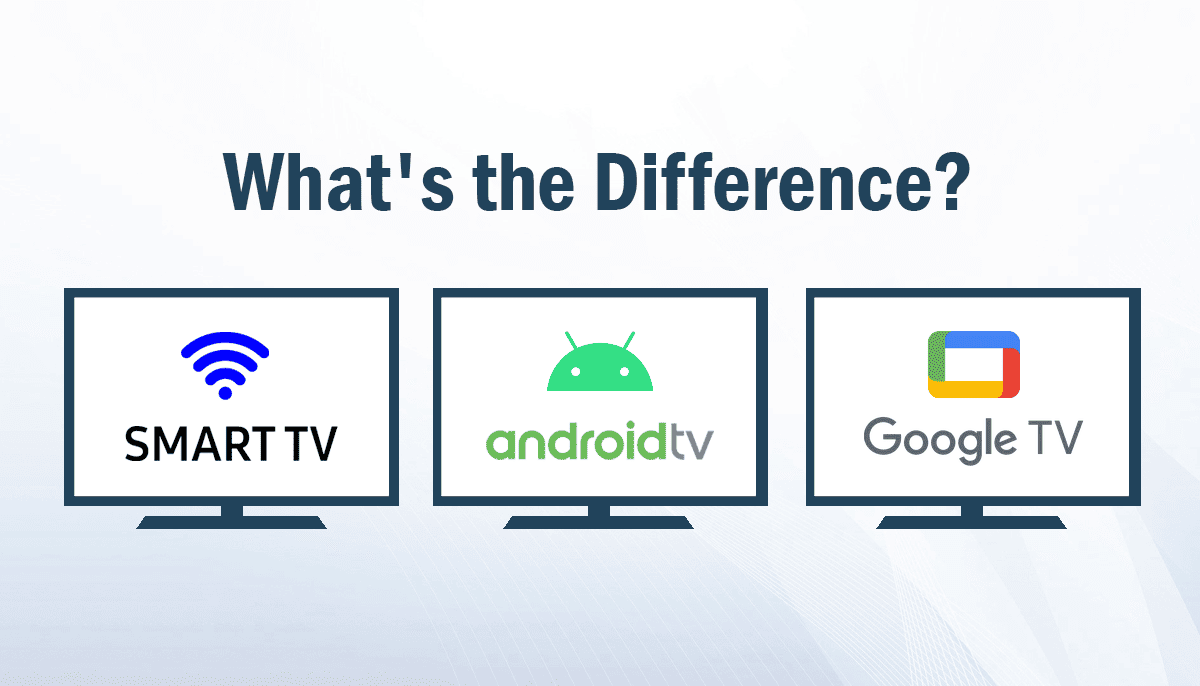
If you’re shopping for a new TV (or wondering what your current one actually is), the terms Smart TV , Android TV, and Google TV can feel like three different categories—when they’re not. Here’s the key idea:
- Smart TV = any TV that connects to the internet and runs apps (it’s a broad category)
- Android TV = Google’s TV operating system used by many smart TVs and streaming devices.
- Google TV = the newer, more personalized “smart TV experience” that runs on top of Android TV OS (some Android TV devices don’t have the Google TV interface).
Below, you’ll get a clear 3-way comparison, real-world pros/cons, and a decision guide that’s more actionable than the competing pages.
🤔Which TV Platform Should You Choose? Quick TL;DR Guide
- Pick a Smart TV (non-Google OS) if you want a simpler, brand-focused interface (common on TVs running systems like Tizen or webOS) and you don’t care about Google-style aggregation.
- Pick Android TV if you want a more app-first layout and you prefer to jump straight into specific apps (and you’re fine with fewer “curated” suggestions).
- Pick Google TV if you want the easiest content discovery (recommendations across services), profiles, and a more “what should I watch?” experience.
Why Smart TV, Android TV, and Google TV Are Confusing
Smart TV is an umbrella term: if a TV can access internet services and apps, it’s a smart TV—regardless of its operating system.
Android TV is a specific smart TV platform—Google’s operating system for TVs and streaming devices.
Google TV is the newer interface/experience built into some TVs and streaming devices. Importantly, Google states that Google TV is powered by Android TV OS, and some devices run Android TV OS without the Google TV interface.
So you can think of it like this:
- Smart TV (category)
- Android TV (OS)
- Google TV (experience/interface on that OS)
- Android TV (OS)
📺Smart TV – What is it?
A Smart TV is a television with built-in internet connectivity and apps for streaming, browsing, and other services.
Smart TVs can run many different operating systems depending on the brand—commonly Tizen (Samsung) or webOS (LG), among others.
Smart TV pros
- Often simple and brand-polished (less “busy” than some app-heavy platforms)
- Typically tight integration with that TV maker’s settings, picture modes, and menus
- Can be great for “I just want Netflix/YouTube” users
Smart TV cons
- App catalogs and updates vary by brand/region; some platforms feel “stuck” over time
- If you want Google-style aggregation, profiles, watchlists, and casting consistency, you may prefer a Google platform instead
📺Android TV – What is it?
Android TV is Google’s operating system for smart TVs and streaming devices.
It’s designed to make it easier to watch and play on a TV, with access to Google Play apps (Google highlights 5,000+ apps for Android TV).
It also supports casting from your phone to your TV
Android TV pros
- Strong app ecosystem via Google Play
- Google Assistant voice control is commonly available
- Built-in casting is common (often “Chromecast built-in”)
- Familiar “rows of apps” navigation (app-first)
Android TV cons
- Content discovery tends to be more app-driven; recommendations can feel less unified than Google TV
- “Profiles” and personalization can be less consistent than Google TV’s profile-first approach (varies by device and how apps handle accounts)
📺Google TV – What is It?
Google describes Google TV as a personalized smart TV experience built into certain smart TVs and streaming devices.
The most important technical point (and the most common buyer misunderstanding):
Google TV runs on Android TV OS, and some devices run Android TV OS without the Google TV interface.
Google TV also emphasizes cross-service browsing and organization. For example, Google’s own Google TV app messaging focuses on browsing content “across your streaming services,” building a watchlist, and notes availability varies by country.
Google TV pros
- Content-first discovery (recommendations across services)
- Multiple user profiles + stronger kid/family options (a major differentiator for households)
- A unified watchlist concept that’s meant to work across devices/services
- Apps: Google TV still uses the Android TV app ecosystem—Android TV apps work on Google TV
Google TV cons
- If you dislike heavy recommendations/curation, you may prefer Android TV’s more app-first vibe
- Some features and content availability vary by country and by provider/app deals
Read More: Smart TV vs Android TV: Which One Is the Smarter Buy?
Smart TV vs Android TV vs Google TV: Key Differences
| Feature | Smart TV (non-Google OS) | Android TV | Google TV |
| What it is | Category of internet TVs | Google TV OS for TVs/devices | Experience/interface on Android TV OS |
| Interface style | Brand-defined | App-first | Content-first |
| App ecosystem | Brand store varies | Google Play (5,000+ highlighted) | Same Android TV app base |
| Casting | Varies by brand | Common (casting supported) | Common (Chromecast/casting) |
| Voice | Varies by brand | Google Assistant common | Google Assistant + deeper integration feel |
| Profiles & kids | Varies widely | Less consistent | Stronger profile-first approach |
| “Live” / unified browsing | Varies | Less central | Often highlighted as a dedicated surface |
🧠Real-World Differences That Matter When Choosing a TV
1) Home Screen: Apps-first vs Content-first
- Android TV tends to point you toward apps and rows.
- Google TV puts discovery first—surfacing shows/movies across services, with recommendations meant to feel unified.
Android Police summarizes this as a difference in how discovery works between the two platforms.
Who cares most: people who don’t open one specific app every time—and instead browse until something looks good.
2) Profiles & Family Viewing
If your household shares a TV, profiles can be the “make or break” feature.
Lifewire’s comparison highlights Google TV’s advantage: multiple adult and child profiles, personalization per profile, and family controls; Android TV is less profile-centric.
Croma and Dangbei similarly emphasize Google TV’s multi-profile personalization and stronger household features.
Who cares most: families, roommates, mixed tastes, parents.
3) Live TV Surfaces (where supported)
Several high-ranking pages call out Google TV’s dedicated “Live” experience (often tied to supported live TV providers/services).
This is a big deal for some users, but availability depends on your country and the services you subscribe to.
Who cares most: live TV streamers, sports/news channel surfers, people who want “what’s on now?”
4) Apps: more similar than most people expect
Here’s the practical truth: for the majority of mainstream apps, Google TV and Android TV are closer than they are different.
Android Developers explicitly states that all apps built for Android TV work on devices running Google TV.
Nebula also highlights shared access to Google Play Store, Google Assistant, and built-in casting.
Translation: choose based on the home screen, profiles, and discovery—not because you think one can’t run your apps.
5) Updates and Performance: brand matters more than the label
“Google TV vs Android TV” isn’t the only variable—your TV brand, model year, chipset/RAM, and how actively the manufacturer supports updates can matter more day-to-day.
Even competitor pages that favor Android TV note that performance can vary and some simpler smart TV platforms may feel faster because they do less.
Pros and Cons Summary
Smart TV (non-Google OS): best for simplicity and brand ecosystem fans
Pros
- Often streamlined and brand-polished
- Great if you don’t care about Google aggregation/profiles
Cons
- App ecosystem and updates vary by brand/region
- Might not match Google TV/Android TV for casting/assistant consistency
Android TV: best if you like app-first control
Pros
- Google’s TV OS with Google Play apps and casting
- Familiar interface style for people who just open apps
Cons
- Less unified discovery than Google TV (for many users)
- Household personalization may be less “built-in” than Google TV
Google TV: best for most households
Pros
- Best discovery + recommendations across services
- Great for multi-user homes (profiles/kids)
- Android TV app compatibility
Cons
- More “curated”—not everyone loves recommendation-heavy UIs
- Some features/content vary by country and subscriptions
Best Choice by Use Case (The Decision Guide)
Choose a Smart TV (non-Google OS) if…
- You want a straightforward interface and you already like a brand’s ecosystem (e.g., Samsung/LG platforms)
- Your viewing is basic (one or two apps) and you don’t need Google-style aggregation
Choose Android TV if…
- You prefer an app-first dashboard and manual control
- You’re buying based on a specific TV model and it happens to ship with Android TV (not Google TV)
Choose Google TV if…
- You want a TV that helps you find something to watch (not just open apps)
- Your home has multiple viewers and you want profiles/kids controls
- You like the idea of a cross-device watchlist and unified browsing
Don’t Want a New TV? Upgrade Any TV Instead
If your TV is slow, missing apps, or stuck on an older platform, a streaming device can be the cheapest “new TV software” you can buy.
- Google notes Google TV comes built into select TVs and streaming devices, with no additional cost for the software experience itself.
- Casting is now built into millions of TVs and Android TV devices; Google also introduced a newer Google TV set-top option to replace the Chromecast line.
When this is the best move: your panel is still great (picture quality is fine), but the smart features feel outdated.
Frequently Asked Questions About Smart TV, Android TV, and Google TV
Is Google TV the same as Android TV?
Not exactly. Google says Google TV is powered by Android TV OS, and some devices run Android TV OS without the Google TV interface.
Can Android TV run Google TV apps?
Google TV uses the Android TV app ecosystem. Android Developers says apps built for Android TV work on devices running Google TV.
Do Google TV and Android TV both have Google Play Store?
They’re commonly described as sharing access to Google Play apps and services.
Which is better: Google TV or Android TV?
For most people, Google TV wins for discovery and household profiles.
But if you prefer an app-first interface and less curation, Android TV may feel better.
What’s the biggest difference between Google TV and Android TV?
The home screen approach: Google TV emphasizes content-first recommendations across services; Android TV is more app-first.
Do both support casting from a phone?
Android TV supports casting, and competitor comparisons also highlight Chromecast/casting as a shared feature across Android TV and Google TV.
Are Google TV features available worldwide?
Availability varies. Google’s Google TV app page notes it’s available in select countries and that some apps/content may not be available in all countries.
Is a Google TV automatically a Smart TV?
Yes—because it’s an internet-connected TV experience with apps. Smart TV is the broad category; Google TV is a specific platform experience.
What’s the easiest way to tell what my TV is?
Check Settings → About / Device Preferences and look for “Google TV,” “Android TV,” or the TV brand’s OS name. (Menu labels vary by brand.)
If I already have a Smart TV, should I still get a streaming device?
If your TV is slow or missing apps, a streaming device can modernize your experience without replacing the panel—often the best value upgrade.
Final Verdict
If you want the simplest recommendation that fits the most people worldwide: Google TV is usually the best “smart TV experience” because it blends the Android TV app ecosystem with better discovery and household personalization.
Choose Android TV if you want a more classic, app-first approach.
Choose a Smart TV (non-Google OS) if you prioritize brand simplicity and a curated manufacturer interface over Google-style aggregation.



PS5 vs. Xbox Series X: Which Gaming Console Is Right for You?

The Rise of International Basketball: Trends Reflected on Platforms Like Bizbet

The Mobile Testing Lifecycle: From Planning to Execution

Alcohol and Women: Navigating Unique Risks, Health Impacts, and Effective Treatment Strategies

How to Develop a Data-Driven Crypto Trading Strategy in 2026

Cloud Dancer Is the White Everyone Wants at Home This Winter: Here’s What Makes It So Popular

How Premium Corporate Gifts Became a Driver of Customer Acquisition in Financial Services

Top 4 Project Management Tools to Use for Your Business

Best Chemical Testing Lab in Malaysia – Biochem Laboratories
